Self-Service Kiosk
جهاز الخدمة الذاتية
كشك أنيق داخل مكانك — يسجّل وصول العملاء بدون الحاجة لموظف.
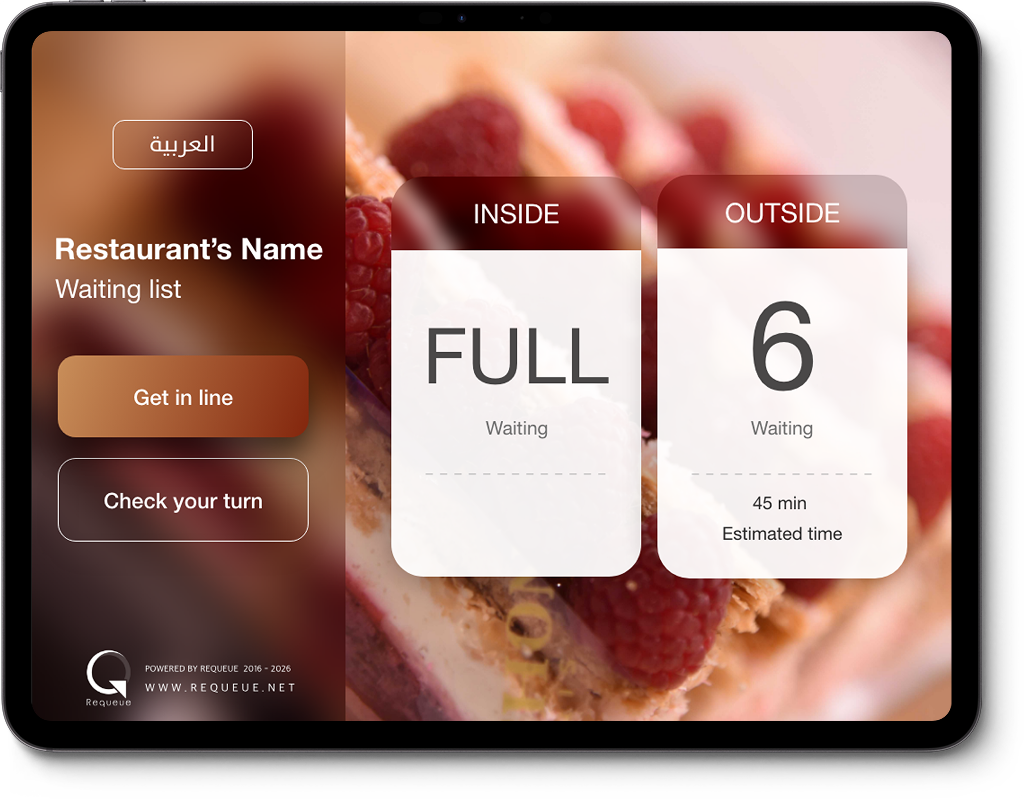
جهاز الخدمة الذاتية يعمل بواجهة بملء الشاشة على iPad أو أي تابلت مثبّت داخل المدخل أو الاستقبال. العميل يلمس الشاشة، يدخل رقمه، ويصير في الطابور — مباشرة، بدون انتظار، وبدون مساعدة.
1
تسجيل وصول ذاتي
العميل يدخل بياناته بنفسه، يستلم رقمه، ويصير في النظام.
2
واجهة Full-Screen
تجربة بملء الشاشة، بسيطة بحيث يقدر أي شخص يستخدمها.
3
يعمل على أي تابلت
iPad أو أي جهاز Android بحجم مناسب — جاهز فوراً.
4
تكامل مع الطابور
كل عميل يسجّل من الكشك يظهر مباشرة عند فريق الاستقبال.
5
ثنائي اللغة
العربي والإنجليزي — العميل يختار قبل ما يبدأ.
6
تجربة هادئة
بهوية Requeue الأنيقة، بدون ضوضاء بصرية أو تعقيد.
أبرز ما يميّز هذا المنتج
- ثبّته عند المدخل ليقلّل العبء عن موظفي الاستقبال.
- العميل يدخل بياناته بنفسه — تجربة سريعة وبدون اختناقات.
- يربط فوراً مع لوحة Queue Management بدون أي إعداد إضافي.
- يدعم وضع الـ Kiosk الكامل (تأمين الشاشة على Requeue فقط).
- تصميم متجاوب يعمل على جميع مقاسات الأجهزة اللوحية.
جاهز تجرّب جهاز الخدمة الذاتية؟
ابدأ تجربتك المجانية اليوم — بدون بطاقة، بدون التزام.